How to add an image to a post

Viewing 0 reply threads
  • Author
    Posts
    • #39610
      Tory Jon
      Keymaster
        • Joined: Nov 2019
        • Posts: 711
        • Likes: 1034

        Here’s how to add an image to a post-step-by-step:

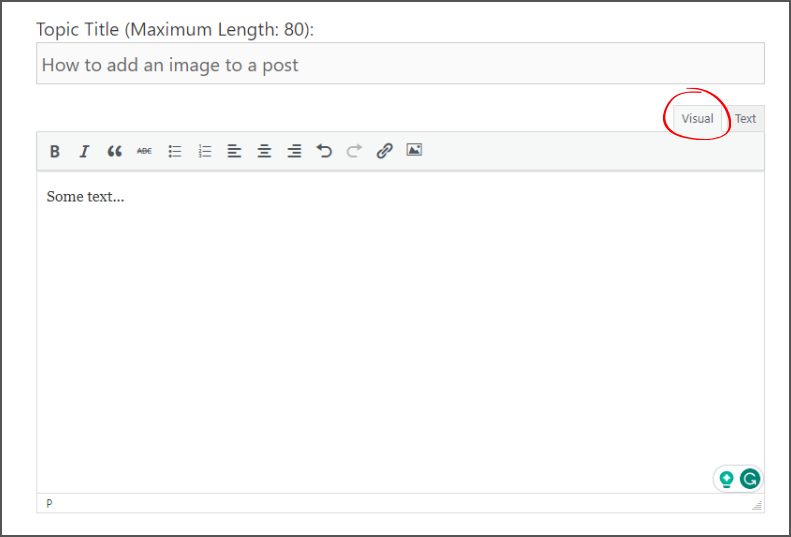
        1. Make sure you are on the “Visual” tab.

        step-1

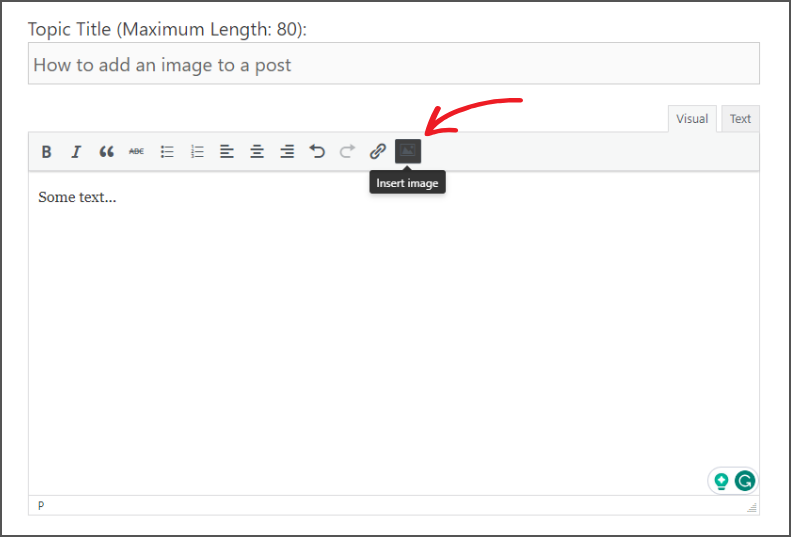
        2. Click the “Insert image” icon in the text editor toolbar above.step-2

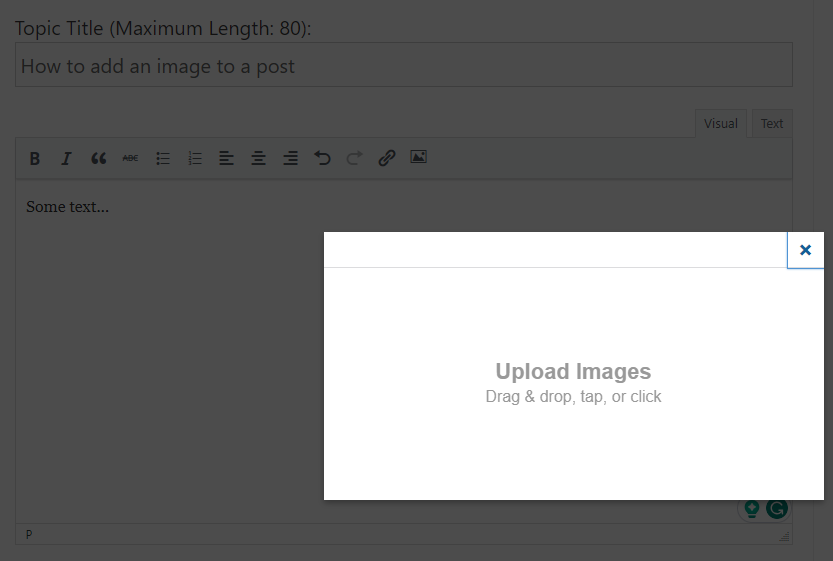
        3. A box will appear. You can either drag or drop your image into the box…

        step-3

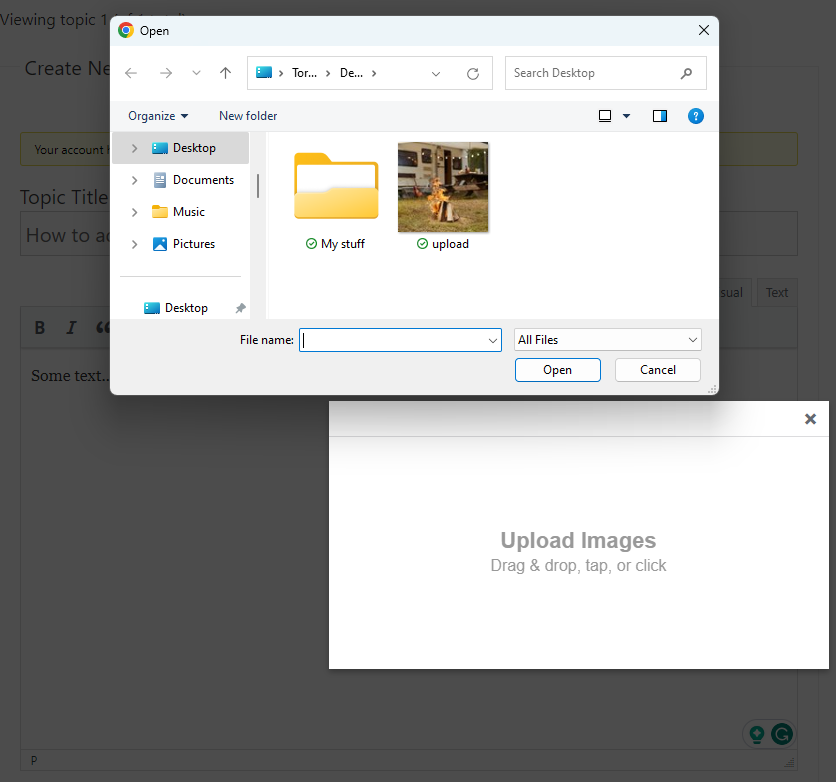
        Or click in the box to have the traditional file selector appear, in which you would click the image you want to upload and click “Open”.

        step-3b

        4. Your image will automatically upload and appear in your text editor.

        step-4

        Important: Images can not be larger than 1920×1920 and no bigger than 5mb in size.

    Viewing 0 reply threads
    • You must be logged in to reply to this topic.
    Don't have an account? Signup now
    Lost your password? Please enter your username or email address. You will receive a link to create a new password via email.